Table of Contents
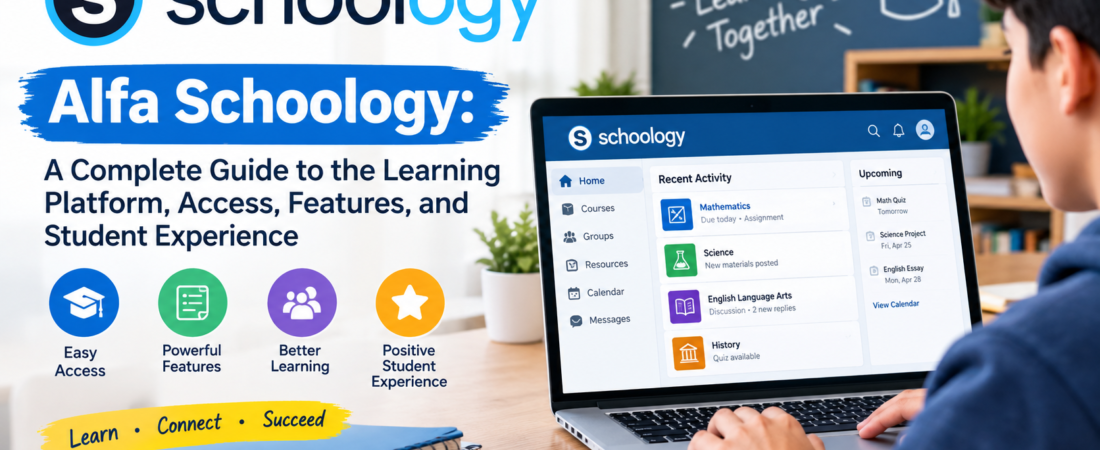
If you have searched for alfa schoology, you may be trying to understand what the term means, where it is used, how students access it, or what they can actually do inside the platform. The name can be confusing because Alfa Schoology is sometimes described online as though it were a separate educational software product.
The more accurate explanation is simpler. Alfa Schoology generally refers to the Schoology learning environment associated with Alfa Fundación, an educational organization in Monterrey, Nuevo León, Mexico. Schoology provides the learning-management technology, while Alfa Fundación provides the educational environment, programs, teachers, students, and institutional structure.
This distinction is important for anyone searching for an Alfa Schoology login or trying to understand how the system works. Schoology itself is a learning management system designed to connect teachers, students, and families while supporting courses, assignments, assessments, communication, resources, and other academic activities.
In this guide, we will look at what Alfa Schoology means, how it fits into Alfa Fundación’s educational model, what students and teachers can use it for, how access generally works, and what to do when common problems occur.
What Is Alfa Schoology?
Alfa Schoology is best understood as an institution-specific Schoology learning environment connected with Alfa Fundación rather than as a completely independent LMS called “Alfa Schoology.”
Schoology Learning is PowerSchool’s learning management platform. It provides a centralized digital environment where educational organizations can manage courses, learning materials, assignments, assessments, grades, communication, and other classroom activities. PowerSchool describes Schoology Learning as a centralized hub connecting teachers, students, and families.
Alfa Fundación is an educational project based in Monterrey that focuses on developing talented students and promoting social mobility through education. Its official website explains that the organization works with students from the Monterrey metropolitan area and provides a long-term educational program involving different stages of education.
This means the two names serve different purposes. Schoology represents the technology, while Alfa Fundación represents the educational institution and its programs.
The distinction also helps explain why searching for alfa schoology can produce different descriptions online. Some pages may make the platform sound like a special edition of Schoology. There is not strong evidence from PowerSchool that “Alfa Schoology” is a separate commercial LMS product. It is more accurate to describe it as a Schoology environment associated with Alfa Fundación.
Alfa Schoology and Alfa Fundación: Understanding the Connection
To understand alfa schoology, it helps to understand the organization behind the name.
Alfa Fundación says its educational project aims to promote social mobility by identifying and educating students with high intellectual potential from communities in the Monterrey metropolitan area. Its programs are designed to provide rigorous education and opportunities that can help students continue toward university education.
The foundation describes a community involving students, parents, teachers, and the organization itself. Its educational approach emphasizes collaboration, responsibility, academic development, and the long-term development of students.
The organization operates extracurricular centers and a high school program. Its official information explains that students can receive enrichment in areas such as mathematics, science, English, and Spanish before progressing to its high-school program.
Within an educational environment like this, an LMS can provide a practical digital layer for organizing academic information. Schoology can bring course materials, assignments, assessments, communication, and grades into a centralized environment.
That is why the phrase alfa schoology should generally be interpreted as a search term connecting Schoology with Alfa Fundación rather than as the name of an entirely different technology.
What Schoology Learning Actually Does
Schoology Learning is the technology underneath the environment. PowerSchool describes it as an LMS designed for teaching and learning, with tools that can connect students, educators, and families.
The platform can support digital course organization, assignments, assessments, grading, resources, communication, calendars, and other academic workflows. However, the precise tools available to a particular user depend on the way an educational organization configures its Schoology environment.
This is an important point when discussing alfa schoology. Not every feature available in the broader Schoology ecosystem should automatically be assumed to be enabled for every Alfa user.
A student may see a different interface or set of options from a teacher. An administrator may have access to configuration settings that ordinary students cannot see. Parents or guardians may also have access to selected information depending on institutional settings.
The result is a platform that can be adapted to the needs of a particular educational community rather than a fixed experience that looks identical everywhere.
Key Alfa Schoology Functions at a Glance
The following table summarizes the main areas that a Schoology-based educational environment can support. These are capabilities of Schoology Learning; their availability and configuration inside an Alfa environment can depend on institutional settings.
| Area | What it can support | Typical user |
| Courses | Digital organization of classes and materials | Students and teachers |
| Assignments | Instructions, submissions, due dates, and grading | Students and teachers |
| Assessments | Quizzes, tests, questions, and assessment results | Students and teachers |
| Gradebook | Recording and reviewing academic results | Teachers and students |
| Calendar | Upcoming assignments and academic events | Students, teachers, families |
| Communication | Messages, comments, announcements, and collaboration | Students and teachers |
| Resources | Files, links, learning materials, and shared resources | Teachers and students |
| Mobile access | Course, grade, message, calendar, and assignment functions | Students and teachers |
The important takeaway is that alfa schoology is useful because it can centralize many activities that would otherwise be scattered across different systems.
How Alfa Schoology Can Help Students
For students, alfa schoology can serve as a central digital workspace for academic responsibilities.
Instead of checking several unrelated locations for assignments, course resources, announcements, and grades, students can use the LMS to organize much of their school activity in one environment.
A typical student experience may involve opening a course, reviewing newly posted materials, checking assignment instructions, completing work, submitting it, and later reviewing the resulting grade or feedback.
Schoology’s official documentation confirms that assignments can include directions, due dates, submission settings, comments, grading options, and other controls.
This structure is particularly useful for students who have several subjects at the same time. A well-organized course can make it easier to distinguish between completed work, upcoming work, and activities that still require attention.
However, an LMS does not replace personal organization. Students still need to read instructions carefully, monitor deadlines, save their work appropriately, and communicate with teachers when something is unclear.
Finding Assignments and Course Materials
One of the most practical reasons people search for alfa schoology is to understand where their academic work is located.
Inside a Schoology course, teachers can organize learning materials into folders and other course structures. Assignments can include descriptions, attached resources, due dates, submission options, and grading information.
For students, the best approach is to treat each course as its own workspace.
Read the assignment description before beginning the work. Pay attention to the due date and any attached files. If a teacher has included a rubric or specific submission instructions, those details can affect how the work should be completed.
Schoology can also display upcoming work through areas such as the calendar and upcoming activity views. This can make it easier to plan ahead rather than discovering deadlines at the last moment.
My opinion is that this is one of the most useful aspects of an LMS. The technology itself is not particularly valuable if students only open it when an assignment is already late. Its real value appears when students use it as a regular academic dashboard.
Grades, Feedback, and Academic Progress
Another important part of alfa schoology is the relationship between assignments and grades.
Schoology includes gradebook functionality that allows educators to manage grades and other assessment information. Depending on institutional configuration, students and families may be able to review grades and academic progress through their accounts.
Teachers can also provide feedback on student work. Schoology’s document viewer supports reviewing submissions, adding comments, annotating documents, and grading assignments.
This can make feedback more useful than a simple numerical score. A student may be able to see where an answer needs improvement or understand why a particular part of an assignment received a certain evaluation.
It is still important to remember that grade displays depend on school settings. A feature documented by PowerSchool may not necessarily be visible to every user.
Assessments and Quizzes in Alfa Schoology
Assessments are another significant component of Schoology Learning.
According to PowerSchool’s documentation, instructors can create assessments to measure students’ understanding or readiness. Some assessments can be automatically graded, while subjective questions such as essays or short-answer responses may require instructor evaluation.
This gives teachers flexibility in creating different kinds of academic activities.
A mathematics teacher might use an assessment to check understanding of a concept. A science teacher could use a quiz before introducing a new topic. A language teacher might use questions to evaluate reading or vocabulary skills.
For students using alfa schoology, the important point is that an online assessment is still an academic task. Students should read each question carefully, follow the teacher’s instructions, and check that their submission has been completed successfully.
Communication Between Students and Teachers
Learning platforms are not only about files and grades. Communication is also an important part of the digital classroom.
Schoology Learning is designed to connect educators, students, and families through a centralized platform. Depending on configuration, users may have access to messages, comments, announcements, discussions, and other communication tools.
For an alfa schoology user, communication tools can reduce the need to search through unrelated channels for academic information.
Students can benefit from checking course announcements regularly. Teachers may post important information about an upcoming assessment, assignment change, classroom activity, or learning resource.
At the same time, students should use digital communication responsibly. Clear questions, respectful language, and appropriate timing make online academic communication much more effective.
Alfa Schoology and Mobile Learning
Modern students frequently use smartphones and tablets for schoolwork, so mobile access can be important.
PowerSchool provides Schoology Learning mobile applications for iOS and Android. Its documentation lists mobile capabilities covering courses, grades, messages, notifications, groups, calendar events, assessments, and assignment submissions.
This means a student does not necessarily need to sit at a desktop computer for every routine activity.
For example, a student might check a notification on a phone, review a course announcement, look at a deadline, or submit an assignment from a mobile device when the institution’s configuration permits it.
Still, larger assignments may be easier to complete on a laptop or desktop, especially when they involve lengthy writing, research, spreadsheets, presentations, or specialized software.
Alfa Schoology Access and Login
People searching for alfa schoology login should be careful about where they enter their credentials.
The safest approach is to use the official access information provided by Alfa Fundación or the institution rather than relying on random third-party pages claiming to provide a login.
Schoology environments can use institution-specific authentication and account arrangements. The correct sign-in method therefore depends on how the organization has configured its system.
If you are an authorized Alfa student, teacher, or family member and you do not know where to sign in, contact the institution directly and request the current access instructions.
Do not enter a school password into an unfamiliar website simply because it contains the words “Alfa Schoology.”
That basic security habit is especially important because search engines can contain unofficial pages that imitate educational login information.
What to Do If Alfa Schoology Is Not Working
Technical problems can happen with any online learning system. A page might fail to load, an assignment may not appear, or the login process may not work as expected.
Before assuming the platform is unavailable, check whether your internet connection is working normally. You can also try refreshing the page, reopening the browser, or using a current supported browser.
PowerSchool’s current requirements documentation recommends up-to-date supported browsers and explains that JavaScript and cookies are necessary for core Schoology functionality.
If the issue continues, check whether the problem occurs on another supported browser or device.
If your classmates are experiencing the same problem, the issue may be institution-wide. In that situation, contacting the school’s technical support team is usually more productive than repeatedly changing your own device settings.
If only your account is affected, the problem may involve credentials, permissions, enrollment, or account configuration.
Browser and Device Compatibility
A reliable alfa schoology experience depends partly on using a compatible device and browser.
PowerSchool currently lists Google Chrome, Microsoft Edge, Mozilla Firefox, and Safari among supported desktop browsers, with the recommendation to keep browsers updated. The platform also supports mobile apps for iOS and Android.
Cookies and JavaScript are particularly important because Schoology uses them for authentication, page interactions, assignment submission, and other functions.
This means that aggressive browser privacy settings or disabled cookies can sometimes create problems that look like Schoology errors.
For ordinary schoolwork, keeping your browser updated is a simple but effective maintenance habit.
Alfa Schoology for Teachers
Students are not the only people who benefit from a Schoology environment.
Teachers can use Schoology Learning to organize courses, distribute assignments, create assessments, manage submissions, provide feedback, and work with grades. PowerSchool’s documentation shows that instructors can create assignments with detailed instructions, due dates, submission controls, grading scales, rubrics, comments, and learning objectives.
Assessment tools can also provide faster feedback in situations where questions are automatically graded.
For educators, the major advantage is organization.
A well-designed digital course can give students a predictable place to find information while giving teachers a structured way to distribute and assess work.
However, technology does not automatically create good teaching. The quality of the course still depends on the teacher’s instructional decisions, the clarity of materials, the usefulness of feedback, and the needs of the students.
Alfa Fundación’s Educational Philosophy
The context surrounding alfa schoology becomes more interesting when the foundation’s broader educational philosophy is considered.
Alfa Fundación describes approaches including collaborative learning, experiential learning, and self-directed learning. Its pedagogical model emphasizes active student participation and reflection rather than simply receiving information passively.
That philosophy fits naturally with the possibilities offered by a modern LMS.
Digital course materials can provide students with resources to review independently. Assignments can encourage application of knowledge. Discussions and collaborative activities can support interaction. Assessment tools can help teachers monitor progress.
The LMS is therefore only one component of a much larger educational model.
In my opinion, this is the most useful way to think about alfa schoology. It should not be viewed as magic software that improves education by itself. Its value comes from how effectively it supports the educational goals of the organization and the everyday work of teachers and students.
Why Alfa Schoology Can Be Useful
The biggest strength of a Schoology-based environment is centralization.
When course materials, assignments, grades, assessments, communication, and schedules are brought together, students have fewer places to search for academic information.
For teachers, centralized course management can make distribution and grading more systematic.
For families, where the relevant access is enabled, digital visibility can provide another way to follow academic progress.
PowerSchool also highlights integrations and connections with other educational technologies, including student information systems and external learning tools.
This creates an ecosystem rather than an isolated website.
Limitations to Keep in Mind
Even a capable LMS has limitations.
First, the exact features available to an alfa schoology user depend on institutional configuration. Students should not assume that every Schoology feature documented online will appear in their account.
Second, online learning systems depend on internet access and compatible devices. A technical issue can temporarily interrupt access to schoolwork.
Third, having a centralized platform does not guarantee good organization. Teachers need to structure courses clearly, and students need to check them consistently.
Finally, users should be cautious with unofficial websites. Search results are not the same thing as official authorization.
These limitations do not make Schoology ineffective. They simply show why users should understand the difference between the underlying platform, the institution’s configuration, and unofficial information found online.
Alfa Schoology vs. a Separate LMS
It is worth addressing one of the biggest misconceptions directly.
Alfa Schoology is not best described as a separate LMS competing with Schoology. The available evidence points toward Schoology Learning being the underlying learning-management technology used in the Alfa educational environment.
| Term | Meaning |
| Schoology Learning | PowerSchool’s learning management platform |
| Alfa Fundación | Educational organization based in Monterrey |
| Alfa Schoology | Common search phrase for the Alfa-associated Schoology environment |
| LMS | Learning Management System |
| Schoology course | Digital course space containing academic materials and activities |
| Student account | User account providing access according to institutional permissions |
Understanding these terms prevents unnecessary confusion.
Someone searching for “Alfa Schoology software” may think they need to download a special Alfa application. In reality, the relevant experience is generally based on Schoology Learning and the access arrangement provided by the educational institution.
How Students Can Get More Value From Alfa Schoology
The best way to use alfa schoology is to make it part of a regular study routine.
Check the platform frequently instead of waiting until a teacher reminds you. Review upcoming deadlines before starting new work. Read all assignment instructions. Keep track of feedback and use it to improve later submissions.
It is also useful to separate “I submitted the assignment” from “I finished learning the topic.” A digital submission can satisfy a requirement, but real academic progress comes from understanding the material.
Students should also communicate early when something is unclear. Waiting until a deadline has passed makes technical and academic problems much harder to solve.
A disciplined approach turns the LMS from a place where homework is uploaded into a genuine learning workspace.
Frequently Asked Questions About Alfa Schoology
What is Alfa Schoology?
Alfa Schoology generally refers to the Schoology learning environment associated with Alfa Fundación in Monterrey, Mexico. Schoology Learning provides the underlying LMS technology, while Alfa Fundación provides the educational context and programs.
Is Alfa Schoology a separate learning management system?
No clear official evidence indicates that Alfa Schoology is a separate LMS product. It is more accurately described as an Alfa Fundación-associated Schoology environment using Schoology Learning.
What can students do in Alfa Schoology?
Depending on institutional configuration, students can use Schoology for courses, learning materials, assignments, assessments, grades, messages, calendars, notifications, and other academic activities.
How can I access Alfa Schoology?
Authorized users should follow the current login instructions supplied by Alfa Fundación or their educational institution. Avoid entering school credentials into unofficial websites found through generic searches.
What should I do if Alfa Schoology will not open?
First check your internet connection and browser. Make sure JavaScript and cookies are enabled and use an up-to-date supported browser. If the problem continues, contact the institution’s technical or administrative support team.
Conclusion
Alfa Schoology is best understood as a Schoology-based digital learning environment connected with Alfa Fundación rather than as a mysterious new LMS or completely separate educational software product.
The underlying Schoology Learning platform provides tools for courses, assignments, assessments, grades, communication, resources, calendars, and mobile learning. Alfa Fundación provides the educational setting in which those tools can support students and teachers.
For students, the most useful approach is simple: use the platform consistently, monitor assignments and deadlines, review feedback, and communicate when problems arise. For teachers, careful course organization and meaningful feedback can turn an LMS into a practical extension of classroom instruction.
My overall view is that the real value of alfa schoology is not the name itself. The value comes from bringing digital learning activities into a structured environment that supports the broader educational goals of Alfa Fundación.
When searching for information or login assistance, users should also prioritize official Alfa Fundación and PowerSchool resources over pages that make unsupported claims about special versions or features. That approach makes it easier to separate what is verified from what is simply repeated online and more.